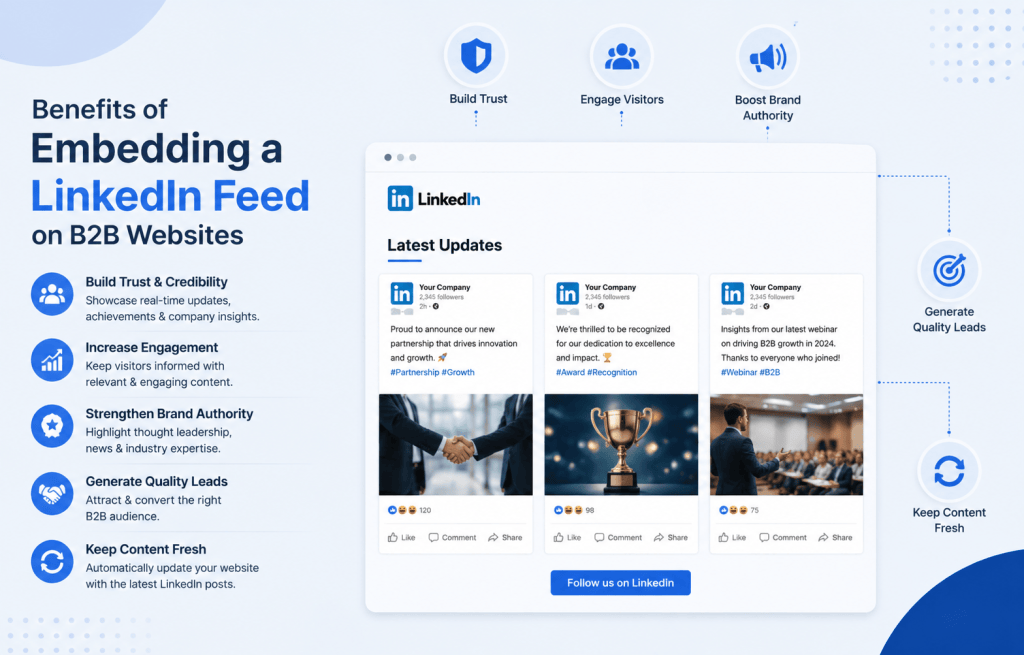
If your B2B website still looks the same as it did six months ago, you’re leaving trust, and leads, on the table. B2B buyers research vendors extensively before ever filling out a contact form, and a static “About Us” page no longer proves that a company is active, credible, or worth talking to. This is exactly where the benefits of embedding a LinkedIn feed become obvious: it turns your homepage or landing page into a living showcase of company updates, employee advocacy, and industry authority, pulled directly from the platform B2B buyers already trust most.
In this guide, you’ll learn why B2B marketers are embedding LinkedIn feed widgets on their websites, the specific business benefits this delivers, how to set one up with a tool like, and the best practices that keep your site fast, on-brand, and conversion-ready.
Key Takeaways
- LinkedIn drives roughly 80% of all B2B social media leads, making it the single most important social platform for B2B trust-building.
- Embedded social proof, including live LinkedIn content, can lift conversions by up to 34% by triggering the “bandwagon effect”.
- A LinkedIn feed widget keeps your website fresh automatically, improving dwell time and supporting on-page SEO without any manual content updates.
- Tools like Tagembed let you embed a fully customizable, no-code LinkedIn feed widget on any B2B website in minutes.
What Does It Mean to Embed a LinkedIn Feed on a Website?
Embedding a LinkedIn feed means pulling live posts, updates, or company page activity from LinkedIn and displaying them directly on your website using a small piece of embed code, no manual copy-pasting required. Instead of sending visitors away to your LinkedIn page, you bring that same real-time content to them, right where they’re already evaluating your business.
How a LinkedIn Feed Widget Works
A LinkedIn feed widget, such as the one offered by Tagembed, connects to your LinkedIn company page or a specific hashtag and hashtag campaign, then automatically syncs new posts to your site. Every time your marketing or sales team publishes on LinkedIn, that same content appears on your website’s embedded wall, no developer needed, and no repeated manual updates.
Why B2B Websites Need Live LinkedIn Content
B2B buying decisions are rarely impulsive. Decision-makers check a vendor’s website, then cross-reference it against the vendor’s LinkedIn presence to see if the company is actually active and credible. If those two experiences don’t match, a polished static website next to a rarely-updated or entirely absent LinkedIn presence on-site, it creates friction at exactly the moment you’re trying to build trust.
LinkedIn Drives the Majority of B2B Social Leads
LinkedIn is responsible for roughly 80% of all B2B leads that come from social media, and about 97% of B2B marketers already use the platform for content marketing. The platform also converts visitors into leads at a rate of around 2.74%, well above other major social networks, and is reported to generate leads at a rate 277% higher than Facebook. Given that scale of B2B trust and lead flow, failing to surface that activity on your own website is a missed opportunity, not a neutral choice.
Top Benefits of Embedding a LinkedIn Feed on B2B Websites
1. Builds Instant Social Proof for B2B Buyers
Every LinkedIn post embedded on your site, a client testimonial, a case study announcement, an industry award, acts as third-party validation. Featuring this kind of social proof-driven content has been shown to increase sales conversions by up to 34%, according to OptinMonster’s research on trust signals. For B2B companies, where deal sizes are large and buying committees are cautious, this kind of visible, ongoing credibility can shorten the trust-building phase of the sales cycle.
2. Boosts Website Engagement and Dwell Time
Displaying dynamic, real-time content keeps visitors on a site longer, and when users see fresh updates, they tend to interact more, which drives higher engagement rates overall. A LinkedIn feed embed introduces scrollable, regularly updating content into an otherwise static page giving prospects a reason to linger instead of bouncing after reading a single service page.
3. Keeps Your B2B Website Fresh Without Extra Development Work
A live social feed lets a site show new posts automatically without manual updates, so the website effectively updates itself every time the connected LinkedIn page publishes something new. This is particularly valuable for B2B teams that don’t have a dedicated web developer on staff, your marketing team keeps posting on LinkedIn as usual, and the website reflects that activity in near real time.
4. Strengthens B2B Lead Generation and Pipeline
LinkedIn Lead Gen Forms convert at an average of 13%, roughly triple the average landing page conversion rate, underscoring how effectively LinkedIn-native content moves B2B prospects toward action. By surfacing that same high-performing content directly on your website’s key pages pricing, case studies, contact, you extend that lead-gen power beyond LinkedIn itself.
5. Improves On-Page SEO Signals
Embedding a social feed can strengthen SEO signals by reducing bounce rates and keeping users on-site for longer, both of which are behavioral signals search engines take into account. Fresh, frequently updated content sections also give search engines a reason to recrawl your pages more often, which can support indexing of newly published company updates.
6. Showcases Company Culture and Employer Branding
A LinkedIn feed embed isn’t only useful on your homepage, it’s a natural fit for your careers page. Job seekers researching a B2B company want to see team photos, event recaps, and employee shoutouts, and a live feed delivers that without requiring a separate content strategy for the careers section.
7. Establishes Thought Leadership and Industry Authority
A LinkedIn feed embed can help a company position itself as a credible player by showcasing industry expertise and thought leadership, while its interactive nature fosters community and cross-promotion that drives traffic back to the company’s LinkedIn page. For B2B brands competing on expertise rather than price, this steady drip of visible authority content matters more than a one-time blog post.
8. Unifies Brand Identity Across Channels
Embedding a social feed helps unify a brand’s identity by bringing the website and its social channels into one cohesive experience. Visitors get a consistent visual and messaging experience whether they land on your website first or discover you on LinkedIn first, closing the gap between the two touchpoints.
How to Embed a LinkedIn Feed on a B2B Website
Using a No-Code LinkedIn Feed Widget Like Tagembed
You don’t need custom development or LinkedIn API approval to get a feed live. With a widget-based tool such as Tagembed, the general workflow looks like this:
- Connect your LinkedIn company page or hashtag to the widget dashboard.
- Choose a layout grid, carousel, or list that matches your website’s design.
- Customize colors, fonts, and post moderation rules to fit your B2B brand.
- Copy the generated embed code and paste it into your website’s HTML, CMS, or page builder.
- Publish new LinkedIn posts will now sync to your site automatically.
Customization Options for B2B Branding
B2B websites tend to favor clean, professional layouts over flashy visual widgets. Look for a LinkedIn feed embed tool that supports: light/dark theme matching, post filtering by keyword or hashtag, responsive mobile layouts, and the ability to hide specific posts that don’t fit a given landing page’s context.
Best Practices for Embedding a LinkedIn Feed Widget on B2B Sites
Placement Tips for Maximum Impact
Place your LinkedIn feed widget where credibility matters most: the homepage above the fold, a dedicated “News & Updates” page, your careers page, or directly on case study and pricing pages where buyers are close to a decision. Avoid burying it on pages with low traffic.
Avoiding Common Page Speed Issues
Third-party feed widgets can degrade Core Web Vitals such as LCP, INP, and CLS, so it’s worth testing page speed before and after embedding and choosing a lightweight widget provider when performance is a priority . Choose a widget that lazy-loads content and avoid stacking multiple heavy embeds (LinkedIn, Instagram, YouTube) on the same page without performance testing.
LinkedIn Feed Embeds vs. Other Social Proof Widgets
| Widget Type | Best For | B2B Fit |
| LinkedIn feed embed | Company updates, thought leadership, hiring | High |
| Instagram feed embed | Visual product content, lifestyle brands | Lower |
| Google Reviews widget | Star-rating trust signals | Medium |
| Twitter/X feed embed | Real-time commentary, PR | Medium |
For a B2B audience specifically, LinkedIn content tends to carry more weight because it’s the platform buyers already associate with professional credibility rather than entertainment.
Final Thoughts
The benefits of embedding a LinkedIn feed go well beyond decoration for B2B websites, it’s a low-effort way to compound the trust, engagement, and lead generation already happening on LinkedIn and bring it home to your own domain. Instead of hoping prospects visit your LinkedIn page separately, you put that credibility directly in front of them at the moment they’re deciding whether to trust your business.
Ready to add a live, customizable LinkedIn feed to your B2B website? and have it running in minutes, no code required.
Frequently Asked Questions
1. Is it free to embed a LinkedIn feed on a website?
Some basic widgets offer free tiers with limited posts or branding, while full-featured tools with customization, moderation, and multiple layout options — like Tagembed — typically operate on a subscription model.
2. Do I need LinkedIn API access to embed a feed?
Not if you use a third-party widget tool. Platforms like Tagembed handle the API connection and authentication on your behalf, so you only need to connect your account and paste an embed code.
3. Will embedding a LinkedIn feed slow down my website?
It can, if the widget isn’t optimized. Choose a provider that lazy-loads the feed and compresses assets, and test your site’s load time before and after adding the embed.
4. Can I embed a specific LinkedIn hashtag instead of my full company feed?
Yes. Most modern LinkedIn feed widgets, including Tagembed, let you filter by hashtag, so you can showcase a specific campaign, event, or employee advocacy initiative instead of your entire company feed.


Leave a comment